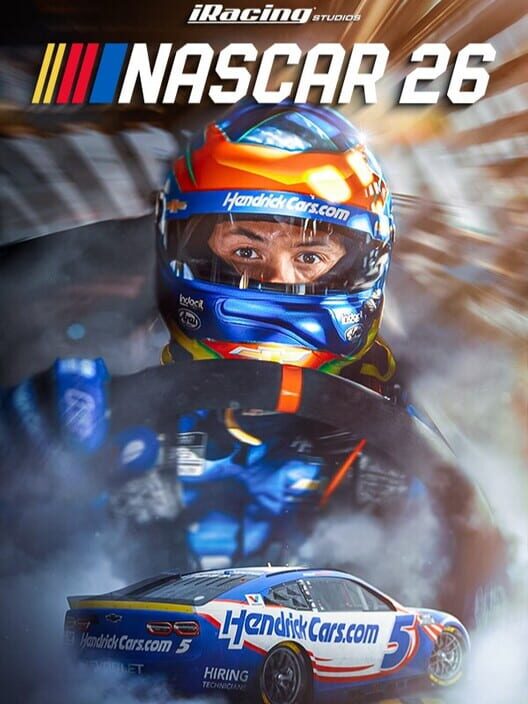
NASCAR 26
NASCAR 26 Mechanics Guide: Dynamic Track, Driving, and Training
Learn how NASCAR 26's Dynamic Track system, revised tire and braking models, Peak Performance training, AI, and race controls shape each event.
Price Comparison
NASCAR 26's most important gameplay changes are its evolving track conditions, revised driving model, and new Peak Performance training mode. The game is designed around the idea that a race weekend should develop rather than remain static. Track conditions change during the event, while updated tire and braking models affect how each car behaves. That means success depends on adapting your driving instead of relying on one fixed line or setup.
This guide explains the mechanics officially confirmed for NASCAR 26 and how to approach them when starting a new career, quick race, championship, or multiplayer event. Some detailed control settings and setup values may vary by platform, controller, assists, and race configuration, so the practical advice below focuses on the systems that the developer has publicly described.
How the Dynamic Track system works
Dynamic Track technology is the central new feature in NASCAR 26. According to the official announcement, track conditions evolve throughout a race weekend. The game also models visible rubber buildup, smoke, debris, and other trackside effects as part of its updated racing presentation.
For players, the key implication is that the fastest approach at the beginning of an event may not remain the fastest approach later. As more cars run over the circuit, the available grip and preferred racing line can change. A line that feels stable during an early session may become less effective once the race surface develops.
Approach each session as its own problem. Use practice and qualifying to understand how the car responds on the current surface, then pay attention to whether the car becomes more comfortable or more difficult to control as laps accumulate. Avoid treating the first few laps as a complete prediction of the full race.
Why the racing line matters
NASCAR 26 includes four NASCAR National Series: the Cup Series, O'Reilly Auto Parts Series, Craftsman Truck Series, and ARCA Menards Series. The official track listing separates circuits by series, so the same general circuit may require a different approach depending on the vehicle and event.
Do not assume that a line learned in one series will transfer perfectly to another. The game's announcement specifically identifies enhanced driving physics across every chassis, along with overhauled tire and braking models. That makes car behavior part of the track equation. A line that works for one chassis can produce different entry speed, balance, or exit behavior in another.
Understanding the revised driving model
NASCAR 26's driving model includes updated tire and braking behavior, improved calibration tools for controls and force feedback, and a 750-horsepower package. These changes are intended to make throttle, braking, and steering inputs more consequential than simple full-speed driving.
The safest starting principle is smoothness. Make steering changes progressively, avoid abrupt corrections, and give the tires time to respond before adding another input. Sudden steering or braking changes can make it harder to keep the car settled, especially when the track surface or race traffic is changing.
Braking should also be treated as part of corner preparation rather than an isolated action. Entering a corner too quickly can force a correction that compromises the entire exit. A controlled entry gives you more time to manage the car through the middle of the corner and prepare for acceleration afterward.
Use Peak Performance training before long races
Peak Performance is a new training mode designed to help players improve their driving. It is one of the most useful starting points for players who are unfamiliar with the handling model or who are moving between chassis.
Use training to establish a baseline before beginning a full championship or career schedule. The goal is not only to set one fast lap. You should use the session to learn how much steering, braking, and throttle input the car accepts before it becomes unstable. Repeat the same section several times and focus on producing consistent laps rather than chasing a single best result.
Training is especially valuable when changing series. NASCAR 26's four series do not represent identical vehicles, and the developer says the driving physics are enhanced across every chassis. A short training session can help identify whether the new car prefers a different entry speed, a different steering rhythm, or a more cautious exit.
How to adapt during a race
The combination of Dynamic Track technology and improved physics means that race management matters as much as raw pace. The official feature list also includes better driver AI, safety violations, and DNFs. Those systems make unnecessary contact and aggressive corrections more costly than simply losing a few tenths on one lap.
Prioritize a repeatable pace. A slightly slower line that keeps the car stable can be more valuable over a long race than a faster line that causes frequent corrections. This is particularly important in traffic, where the available space is limited and the surface may behave differently from the clean air you experienced in practice.
Watch for changes in how the car reacts rather than relying only on lap time. If the car begins to feel less stable on entry, requires more correction at the exit, or struggles to hold the same line, adjust your approach. Reduce the aggression of your inputs and search for a line that keeps the car balanced.
Manage traffic and avoid avoidable penalties
NASCAR 26 supports races across Career, Quick Race, Championship, Multiplayer, and the standalone mode featuring The Chase. In multiplayer, the Xbox store lists online events supporting up to 40 players, while PlayStation confirms support for up to 40 online players with PlayStation Plus.
Large fields increase the value of predictable driving. Hold your line when possible, leave room when another car is alongside you, and avoid making a late move that depends on perfect timing. The game officially includes safety violations and DNFs, so contact can affect more than your position in the current corner.
In online races, consistency is usually a stronger foundation than attempting an ambitious pass every lap. Learn where the track offers a clear opportunity to overtake, then build the move over several corners instead of forcing entry speed that the car cannot maintain.
Choosing a mode for learning the mechanics
Peak Performance training: Start here when learning the revised driving model, tire behavior, braking, or a new chassis.
Quick Race: Use this mode to test a track, car, or race length without committing to a larger progression structure.
Career: The enhanced Career mode adds facilities and team upgrades, according to the official feature announcement. This makes it the most appropriate mode for players who want a longer progression path while learning how the car and team develop.
Championship: Choose Championship when you want a structured series of events and a clearer test of consistency across multiple races.
Multiplayer: Cross-platform multiplayer allows players on supported platforms to race together. It is best approached after you have a stable pace and understand how your chosen car reacts when the track and traffic become unpredictable.
The Chase: The Chase is a standalone mode rather than simply another description of Career or Championship. It provides a focused way to play through the game's new Chase-based competition.
A practical first-session routine
- Begin with Peak Performance training in the series and chassis you intend to use.
- Run repeated laps and focus on smooth steering, controlled braking, and clean exits.
- Move to Quick Race and compare the car's behavior as the event develops.
- Pay attention to track evolution, rubber buildup, traffic, and how the preferred line changes.
- Only increase aggression after you can complete several consistent laps without avoidable contact.
- Use Career or Championship once you understand the car well enough to manage a full event.
NASCAR 26 is built around adaptation. Dynamic Track technology means the surface can develop across the weekend, while the revised tire and braking models make the car more sensitive to input quality. The fastest way to improve is to combine Peak Performance training with short race tests, then carry the lessons into longer events. Smooth inputs, consistent lines, and disciplined traffic management will give you a stronger foundation than chasing maximum speed on every lap.
Sources
FAQ
Frequently Asked Questions
What is the Dynamic Track system in NASCAR 26?
Dynamic Track technology causes track conditions to evolve throughout a race weekend. NASCAR 26 also includes visible rubber buildup, smoke, debris, and other racing effects.
Does NASCAR 26 have a training mode?
Yes. NASCAR 26 includes a new Peak Performance training mode for learning its driving model and improving consistency.
What driving physics are new in NASCAR 26?
The game includes enhanced physics across every chassis, overhauled tire and braking models, improved control and force-feedback calibration tools, and a 750-horsepower package.
Which NASCAR 26 modes can I play?
The game includes Career, Quick Race, Championship, Multiplayer, and a standalone mode featuring The Chase.
Does NASCAR 26 support cross-platform multiplayer?
Yes. The official game announcement and platform store pages identify cross-platform or cross-play multiplayer as a supported feature.
Platforms
PC (Microsoft Windows), PlayStation 5, Xbox Series X|S
Genres
Racing, Simulator, Sport
Game Modes
Single player, Multiplayer
Player Perspectives
First person, Third person
Companies
iRacing.com Motorsport Simulations